The WhatsApp privacy policy update has left many users with a feeling of distrust with many users planning to jump ship to viable alternatives such as Telegram and Signal. According to a survey conducted across eight cities of India and published by CyberMedia Research (CMR), over 79% of WhatsApp users are considering to drop the instant messaging service and switch to alternatives.
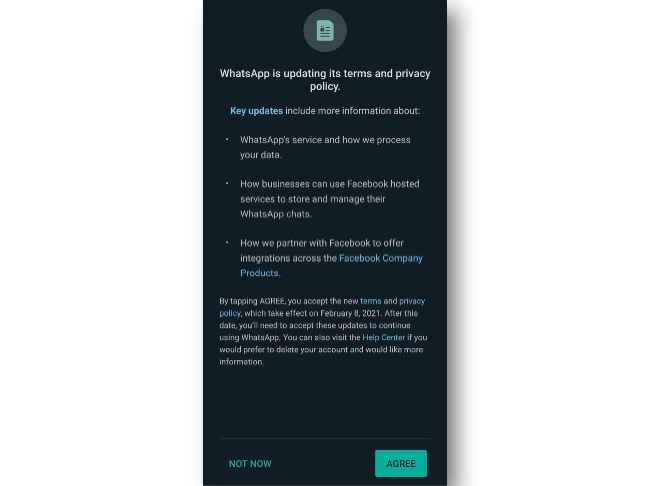
While WhatsApp has time and again reiterated that it does not keep a track of users chats or calls, the company has done little to inspire faith in its users. Save for an India-wide newspaper campaign and using its Status update, WhatsApp has tried to curb the criticism by outlining its security features. Here are some of the security features on WhatsApp that you should definitely use to safeguard your privacy.
WhatsApp End-to-End encryptionWhatsApp uses end-to-end encryption by default and each chat is labelled as “end-to-end encrypted”. What this means is that all messages, calls and status updates that you send are kept between you and the receiver only. Each of your WhatsApp contacts has a designated security code that ensures that all conversations exchanged between two contacts are secured.
Security Code change alertWhatsApp offers end-to-end encryption to ensure that the personal chats between users stay secure. The company assigns a security code to each chat that users can also verify. In the event of a change in the security code, you can choose to enable security notifications to alert you. This usually happens when WhatsApp is reinstalled or installed on a new device.
Two-step verificationWhatsApp provides additional security for users via two-step verification. WhatsApp's users can choose to enable two-step verification that requires a PIN every time you register your phone number with WhatsApp or log in from a different device.
By enabling the two-step verification, you will need a six-digit pin code to log into your WhatsApp account on a new device. As a security measure, WhatsApp will also ask users to enter the PIN code every 72 hours.
To enable two-step verification, go to the Setting menu on WhatsApp and select Account. Here, select Two-Step verification from the list and tap on enable. After this, you will need to enter a six-digit pin code followed by your email address. Once done, the two-step verification will be enabled on your account.
WhatsApp Disappearing messages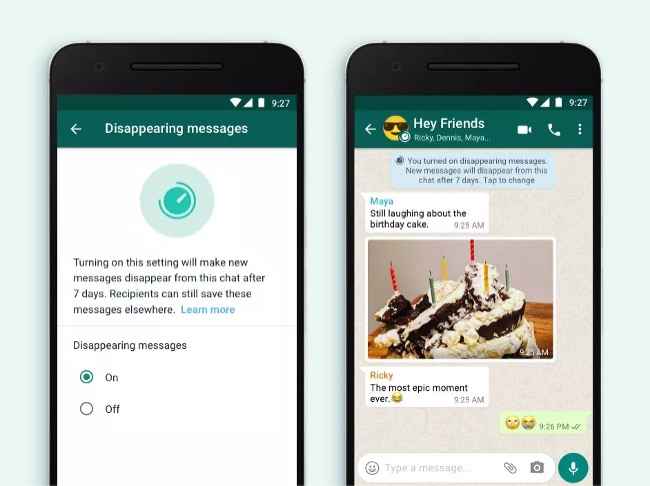
WhatsApp's users can choose to erase all messages exchanged in a chat with the new Disappearing messages feature. Once enabled for a chat, all messages exchanged between two users will disappear after seven days. All messages sent before the feature update will be saved though so users don’t need to worry about losing past conversations.
WhatsApp has released the feature for users in India. To enable the feature, users will have to manually enable it for individual chats, while group admins will be able to enable it for everyone in the group.
WhatsApp biometric securityToday we’re starting to roll out a new security feature for WhatsApp Web and Desktop: face and fingerprint unlock when linking devices. WhatsApp does not see your face or fingerprint data. Chats for your onlyhttps://t.co/qR3zsexzfj pic.twitter.com/Ei5G35MPpA
— WhatsApp (@WhatsApp) January 28, 2021WhatsApp has added a biometric security feature for iOS and Android devices that adds a layer of protection on your personal chats. Apple iPhone users can use TouchID or FaceID to authenticate their login while Android users can secure WhatsApp with a fingerprint lock.
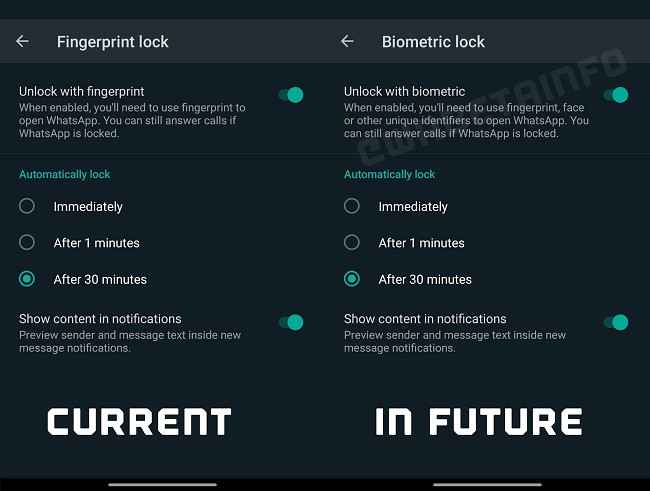
WhatsApp has stated that it does not keep a record of your fingerprint or facial scans. The biometric security feature is also applicable on WhatsApp Web.
To set a biometric security password on WhatsApp, go to the Settings menu and select Accounts. Tap on Privacy and scroll down to Fingerprint lock/ Touch ID or Face ID. Here, you can tap on the toggle to enable unlock with fingerprint or facial unlock.

from Latest Technology News https://ift.tt/36uZTFG
Comments
Post a Comment