Microsoft has announced a set of new features for Windows 11 at the recent “Hybrid Work” event. Although the new additions are largely targeted towards its enterprise customers, some of them may benefit the regular Windows 11 users too. The notable announcements include Windows 365-based cloud PC enhancements, a tabbed design within the File Explorer, folders in the start menu, touch support for Snap Layout, some Microsoft Teams features, better Focus, and captioning.
New Windows 11 Features 1. File Explorer Tabs, Favorites, and Home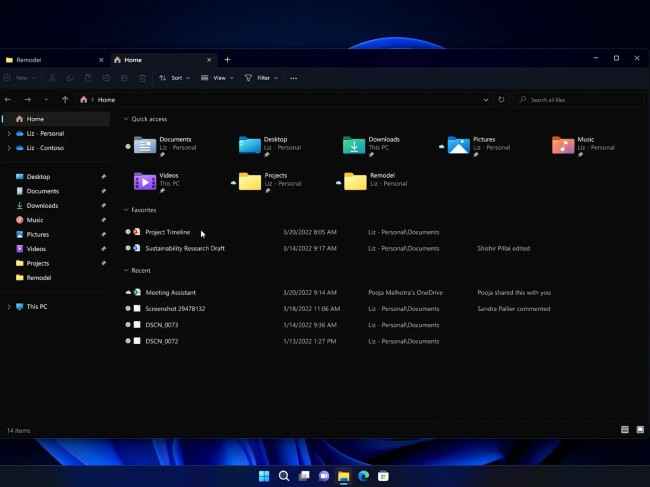
You can open folders in a new tab within a single File Explorer window. You can right click on a file/folder and add it to favorites. There’s also a new Home page on the Windows 11 File Explorer.
2. Folders on Start MenuWindows 11 Start Menu now supports folders for better file organization.
3. Touch for Snap LayoutsOn tablets, Windows convertible laptops, and touch-based Windows 11 devices, you could touch and move/resize/fit windows into various areas on the screen using the Snap Layout feature.
4. Focus DND and TimerThere is an improved Do Not Disturb and Focus Timer option on Windows 11.
5. System-wide Live CaptionsRegardless of it being sound from an app, website, or any outlet on Windows 11, the system will generate real-time captions for it.
6. Voice Focus, Eye Contact, Auto Framing and Portrait Blur on Teams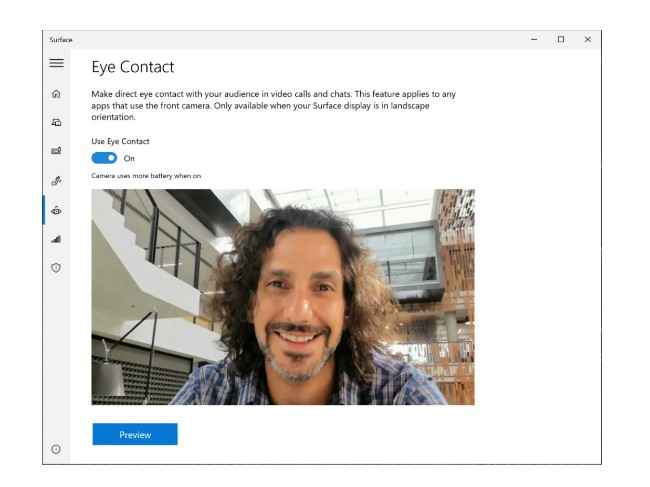
Microsoft steps up Teams as a better video calling software with goodies like background noise reduction with Voice Focus, AI-enabled faux eye contact during video calls, background blur, and automatic framing.
7. Windows 365 Cloud PC integration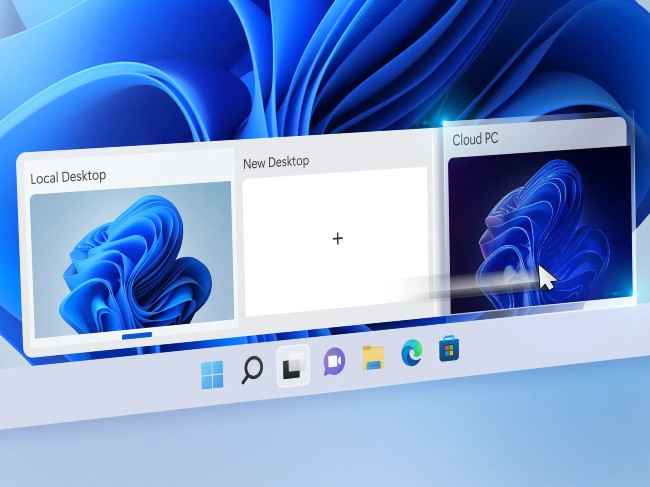
Windows 365 (a Cloud PC solution from Microsoft) is being deeply integrated with Windows 11. As a part of this change, you get:
Windows 365 Boot: Directly log in to Windows 365 Cloud PC instead of local Windows 11. Windows 365 Switch: Easier transition option between Cloud PC and a local desktop within Tas View of Windows 11 UI. Windows 365 Offline: Access Windows 11 Cloud PC without internet. Windows 365 app: Enter Windows Cloud PC from an app shortcut on Start Menu or Task Bar.We had already discussed some of these Windows 11 changes in an earlier article. You may check it out.
As for other news, reviews, feature stories, buying guides, and everything else tech-related, keep reading Digit.in.
from Software News https://ift.tt/HSdz8cr
Comments
Post a Comment