Apple has rolled out iOS 17 Public Beta which will be better suited for general folks who are not developers. This should have fewer bugs and be more comfortable to use. We have installed it on our iPhone 14 and now you can too. Let’s learn how to download iOS 17 Public Beta on your iPhone and try the new iOS features. We will also check out the India-specific features of this version.
Now some of you may be on iOS 17 developer beta and if you want to install the public beta, here’s how you do that:
How to switch from iOS 17 Developer Beta to Public Beta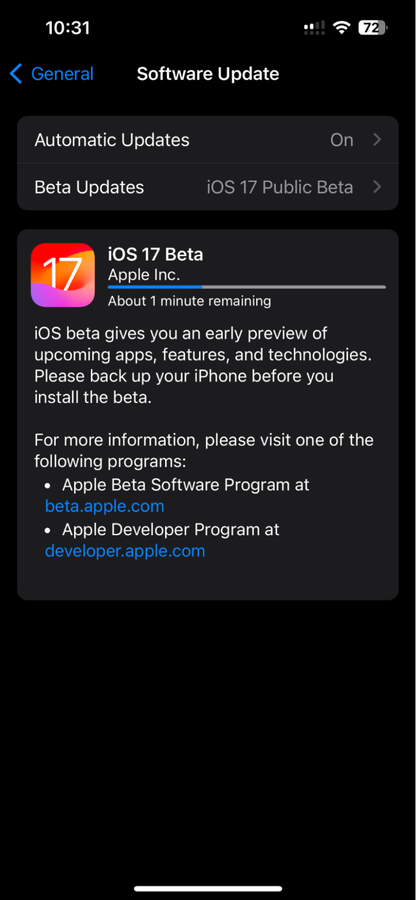
1. Go to iOS Settings
2. Then General
3. Click on Software Update
4. Tap on Beta Updates and choose iOS 17 Public Beta. If Developer Beta is ticked, change that.
Once you select iOS 17 Public Beta, the download should show up. Press download now and install it once downloaded.
Also Read: Don't buy iPhone 14 online until iPhone 15 launch: Here's why
Once it’s installed, the device will reboot. Once it restarts, unlock the device and you now have iOS 17 Public Beta on your iPhone.
2 new India-specific iOS 17 features that you may want to try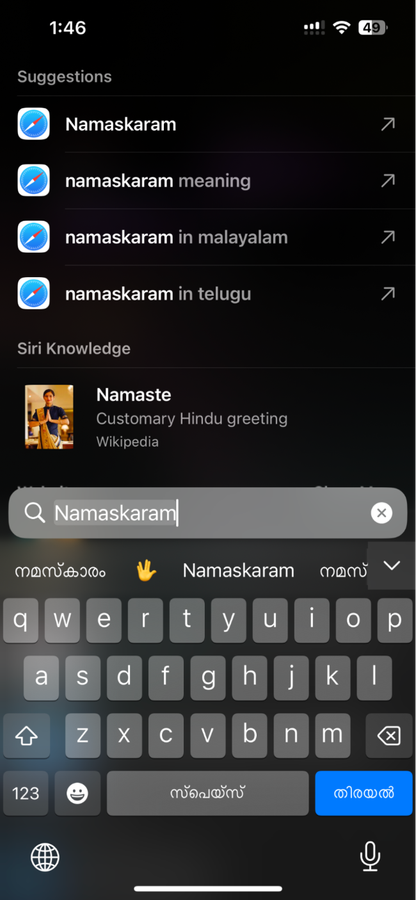
1. Bi-lingual Siri in Hindi, Punjabi, Kannada, Telugu, and Marathi. You have to set the Siri language to English (India) and now you can interact with it in English mixed with the aforementioned languages.
Also Read: iOS 17 beta 2 lets you NameDrop contacts between iPhones: How it works
2. Transliteration keyboard now supports Malayalam, Tamil, Telugu and Kannada, besides Hindi, Urdu, Punjabi, Bengali, Marathi, and Gujarati. Go to iOS Settings > General > Keyboards > Keyboards (again) > Add New Keyboard. Now, say if I choose Malayalam, I will get an option to go with the standard Malayalam keyboard or Transliteration. Selecting the latter lets me type a Malayalam word in English and it will be automatically converted to Malayalam script.
from Software News https://ift.tt/nIYEf4h
Comments
Post a Comment